Running a small business in India comes with unique challenges. You’re juggling inventory, managing orders, keeping customers happy, and trying to grow. Sound familiar?
If your warehouse still runs on spreadsheets, paper lists, or manual counting, you’re not alone. Many Indian SMEs operate this way. But here’s the truth: this approach costs you time, money, and customers every single day.
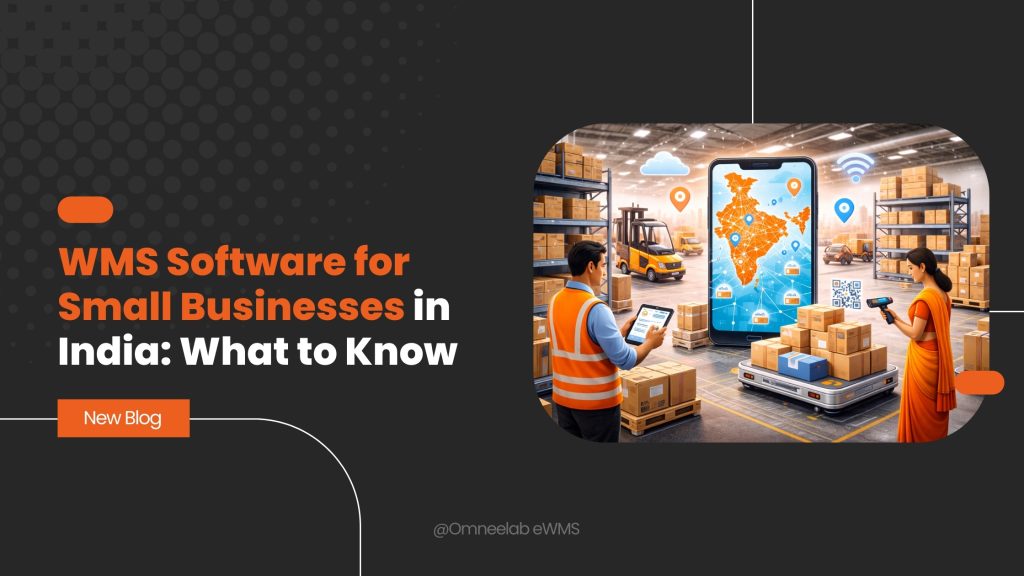
WMS software offers a way out. A warehouse management system helps you track inventory in real time, reduce errors, and fulfil orders faster. The best part? It’s no longer just for big corporations. Today, affordable WMS software options exist specifically for small businesses in India.
This guide covers everything you need to know about WMS software for small businesses. You’ll learn what it is, how much it costs, what features matter most, and how to pick the right solution for your needs. Whether you run a retail store, an e-commerce business, or a distribution company, this information will help you make a smart decision. Let’s break it down.
What Is WMS Software and How Does It Work?
A warehouse management system is software that helps you control and manage daily warehouse operations. It tracks inventory from the moment goods arrive until they leave your facility.
Think of it as the brain of your warehouse. It knows where every product sits, how much stock you have, and when you need to reorder. Instead of guessing or counting manually, you get accurate data at your fingertips.
Here’s how WMS software typically works:
- Goods receipt – When products arrive, you scan them into the system. The WMS records quantities, batch numbers, and storage locations.
- Putaway process – The software suggests where to store items based on size, demand, or category. This keeps your warehouse organized.
- Inventory tracking – Every movement gets recorded. You always know what’s in stock and where it’s located.
- Order processing – When an order comes in, the WMS creates pick lists and guides workers to the right locations.
- Dispatch management – The system confirms shipments and updates inventory automatically.
This closed-loop process eliminates guesswork. Workers stop hunting for products. Stockouts during peak season become rare. And customers no longer wonder where their orders are.
For a deeper understanding of warehouse basics, check out our introduction to warehouse management.
Why Do Small Businesses in India Need WMS Software?
You might wonder if your business is big enough for WMS software. After all, you’re not Amazon or Flipkart. But size isn’t the only factor.
Consider these common problems Indian SMEs face:
- Inventory errors – Manual counting leads to mistakes. You think you have 50 units, but only 35 exist.
- Stockouts and overstocking – Without real-time visibility, you either run out of popular items or waste money on excess inventory.
- Slow order fulfillment – Workers spend too much time searching for products instead of packing orders.
- GST compliance headaches – Tracking batches, maintaining records, and generating reports manually is exhausting.
- Scaling difficulties – As orders increase, your current system breaks down.
WMS software for small business solves these problems. It brings structure to chaos. Even a small warehouse with 500 SKUs benefits from proper stock control and inventory tracking.
The Indian market has changed dramatically. E-commerce is booming. Customer expectations are higher than ever. Businesses that embrace digital transformation gain a competitive edge.
Key Features to Look for in WMS Software
Not all warehouse management software is created equal. Some solutions are built for large enterprises with complex needs. Others focus on simplicity and affordability for SMEs.
Here are the essential features small businesses in India should prioritize:
Real-Time Inventory Tracking
This is non-negotiable. Your WMS should update stock levels instantly with every transaction. No delays. No discrepancies. Real-time stock visibility prevents overselling and stockouts.
Barcode Scanning Support
Manual data entry causes errors. Barcode-based WMS software lets workers scan items during receiving, picking, and shipping. It’s faster and more accurate.
Learn more about this technology in our guide on inventory management with barcode technology.
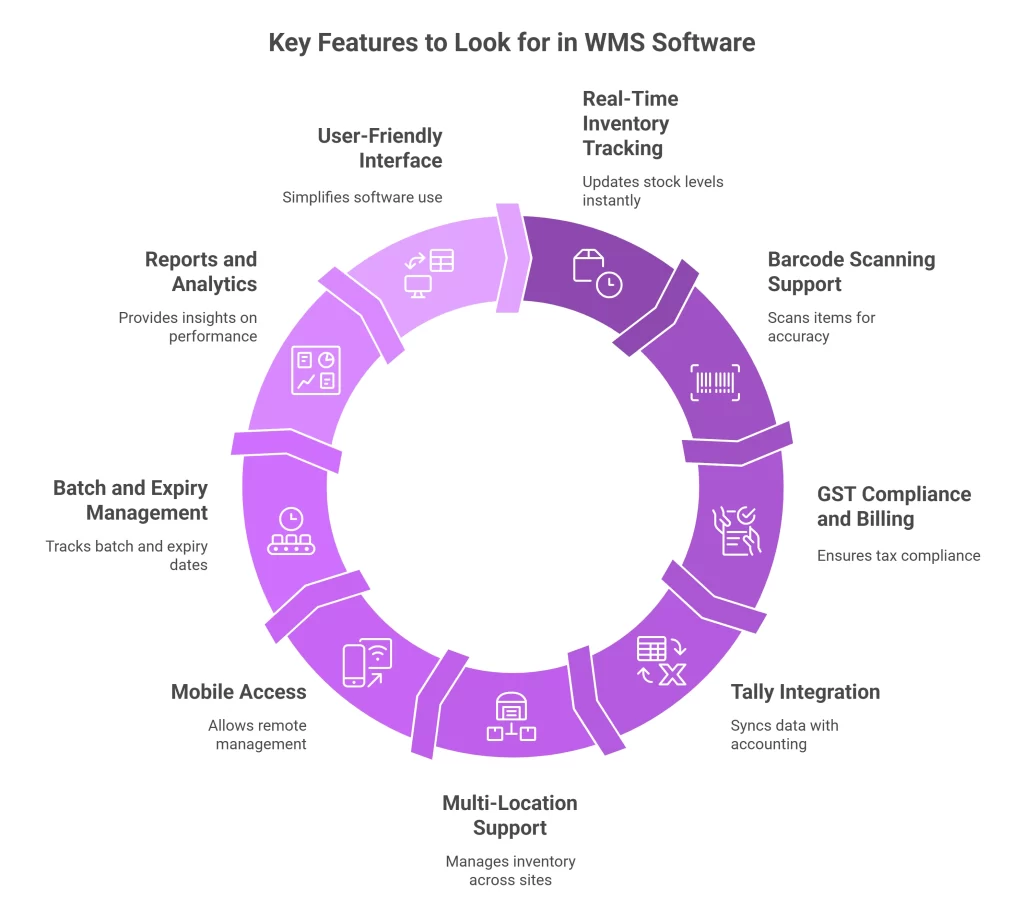
GST Compliance and Billing
For Indian businesses, GST compliant WMS software is essential. Look for features like automatic tax calculations, e-way bill generation, and proper invoice formatting.
Tally and Accounting Integration
Most Indian SMEs use Tally for accounting. Your WMS should offer Tally integration to sync inventory data with financial records automatically. This saves hours of manual reconciliation.
Multi-Location Support
If you operate from multiple warehouses or retail locations, choose a multi-location WMS. It gives you a unified view of inventory across all sites.
Mobile Access
A mobile WMS app lets you manage operations from anywhere. Check stock levels, approve orders, or monitor performance from your phone.
Batch and Expiry Management
If you deal with FMCG, food, or pharmaceuticals, batch tracking and expiry management are critical. The system should alert you about items nearing expiration and support FIFO/LIFO methods.
Reports and Analytics
Good WMS software provides inventory reports and dashboards. You should see slow-moving items, stock turnover rates, and picking efficiency at a glance.
User-Friendly Interface
Your team shouldn’t need an IT degree to use the software. Look for clean design and intuitive navigation. A user-friendly interface reduces training time and adoption barriers.
Cloud-Based WMS vs On-Premise: Which Is Better for Small Businesses?
This is one of the biggest decisions you’ll make. Let’s compare both options.
Cloud-Based WMS (SaaS)
Cloud WMS India solutions run on remote servers. You access the software through a web browser or app. No servers to maintain. No IT team required.
Pros:
- Lower upfront costs
- Pay monthly or yearly subscription
- Automatic updates and backups
- Access from anywhere with internet
- Easy to scale as you grow
Cons:
- Requires stable internet connection
- Ongoing subscription costs
- Data stored on external servers
On-Premise WMS
On-premise software is installed on your own servers. You own the license and control everything locally.
Pros:
- One-time license fee
- Full control over data
- Works without internet (after setup)
- Customization options
Cons:
- High upfront investment
- Requires IT staff for maintenance
- Manual updates and backups
- Harder to scale
The verdict for small businesses? Cloud-based WMS is usually the better choice. The lower entry cost, minimal maintenance, and flexibility make it ideal for SMEs. You can start small and expand as needed.
For more insights on cloud solutions, read our article on the role of cloud retail WMS in supply chain.
How Much Does WMS Software Cost in India?
Budget matters for small businesses. Let’s talk real numbers.
WMS software price in India varies widely based on features, deployment model, and vendor. Here’s a general breakdown:
| Type | Price Range | Best For |
|---|---|---|
| Entry-level cloud WMS | ₹5,000 – ₹15,000/month | Small warehouses, startups |
| Mid-range SaaS WMS | ₹15,000 – ₹40,000/month | Growing SMEs, multi-location |
| Enterprise WMS | ₹50,000+/month or custom pricing | Large operations, complex needs |
| On-premise WMS | ₹2,00,000 – ₹10,00,000+ (one-time) | Businesses preferring ownership |
Additional Costs to Consider
- Implementation and setup – ₹1,00,000 to ₹2,00,000 depending on complexity
- Training – Some vendors include it; others charge separately
- Hardware – Barcode scanners, printers, tablets (₹10,000 – ₹50,000)
- Customization – Extra fees for specific features or integrations
- Support and maintenance – Usually included in SaaS; extra for on-premise
Are There Free WMS Options?
Some vendors offer free WMS software India with limited features. These work for very small operations but lack advanced capabilities. As you grow, you’ll likely need to upgrade.
The key is calculating ROI of WMS. If the software saves you 10 hours weekly and prevents ₹50,000 in inventory errors monthly, even a ₹20,000/month solution pays for itself.
Benefits of WMS Software for Small Businesses
Why should you invest in warehouse management software? Here are the tangible benefits:
1. Reduced Inventory Errors
Manual processes cause mistakes. WMS with barcode scanning ensures accuracy at every step. Most businesses see inventory shrinkage drop by 20-30% after implementation.
2. Faster Order Fulfillment
Optimized pick and pack processes mean orders ship faster. Workers follow efficient routes instead of wandering aimlessly. This improves fulfillment speed and customer satisfaction.
3. Better Stock Control
Know exactly what you have, where it is, and when to reorder. Set reorder points and safety stock levels. The system alerts you before you run out.
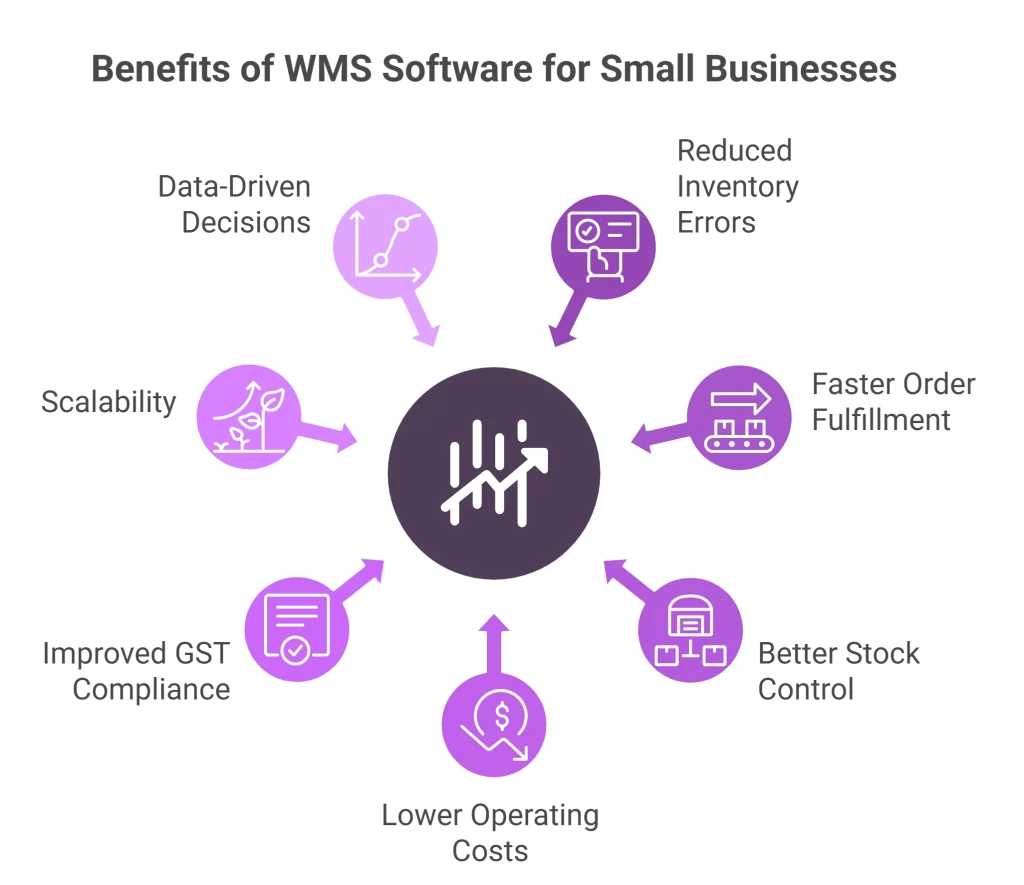
4. Lower Operating Costs
Fewer errors mean fewer returns and write-offs. Efficient operations require less labour. Better warehouse productivity directly impacts your bottom line.
5. Improved GST Compliance
Automatic record-keeping makes tax filing easier. Generate accurate reports for audits. No more scrambling during GST return deadlines.
6. Scalability
As your business grows, the software grows with you. Add more users, locations, or SKUs without overhauling your entire system.
7. Data-Driven Decisions
Access to real-time inventory reports helps you make smarter choices. Identify slow-moving stock. Optimize purchasing. Plan for seasonal demand.
Understanding why businesses need these systems is crucial. Our article on business need of warehouse management system explains this in detail.
How to Choose the Right WMS for Your Small Business
With so many options available, choosing the right WMS software India can feel overwhelming. Here’s a practical approach:
Step 1: Assess Your Current Challenges
What problems are you trying to solve? List your pain points. Maybe it’s inventory accuracy, order delays, or compliance issues. This clarity helps you prioritize features.
Step 2: Define Your Requirements
Consider:
- Number of SKUs you manage
- Order volume per day
- Number of warehouse locations
- Integration needs (Tally, e-commerce platforms, etc.)
- Budget constraints
Step 3: Evaluate Vendor Options
Look at WMS software comparison India resources. Read reviews. Ask for customer references. Check if the vendor has experience with businesses similar to yours.
Step 4: Request Demos
Never buy without seeing the software in action. Most vendors offer WMS software demo sessions. Test the interface. Ask questions. Involve your team in the evaluation.
Step 5: Consider Implementation Support
The best software fails without proper implementation. Ask about:
- Setup and configuration process
- Data migration support
- Training programs
- Ongoing customer support
Step 6: Start Small and Scale
You don’t need every feature on day one. Choose a solution that meets your current needs but can grow with you. Most SaaS WMS India solutions offer tiered plans.
For detailed guidance on selection criteria, read our guide on choosing the right warehouse management solution.
WMS Integration with Indian Business Tools
For Indian SMEs, integration capabilities matter greatly. Your WMS should connect seamlessly with tools you already use.
Tally Integration
WMS with Tally integration syncs inventory data with your accounting records. Sales, purchases, and stock adjustments flow automatically. No duplicate data entry. No reconciliation headaches.
GST and E-Way Bill
GST compliance is mandatory. Your WMS should generate GST-compliant invoices, calculate taxes correctly, and create e-way bills for interstate movement.
E-Commerce Marketplace Integration
If you sell on Amazon, Flipkart, Myntra, or other platforms, look for marketplace integration. Orders sync automatically. Inventory updates in real time across all channels.
ERP Connectivity
Some businesses use ERP systems for broader operations. WMS ERP integration connects warehouse activities with finance, procurement, and sales modules.
Learn about connecting these systems in our guide on WMS ERP integration.
Payment and Shipping
Modern WMS solutions integrate with payment gateways and shipping partners. Generate labels, track shipments, and update customers automatically.
Common Implementation Challenges and Solutions
Adopting new software isn’t always smooth. Here are common challenges Indian SMEs face and how to overcome them:
Challenge 1: Employee Resistance
Workers comfortable with manual processes may resist change.
Solution: Involve staff early. Explain benefits. Provide thorough training. Show how the system makes their jobs easier, not harder.
Challenge 2: Data Migration Issues
Moving existing inventory data into the new system can be tricky.
Solution: Clean your data before migration. Work with the vendor on data mapping. Verify accuracy after import.
Challenge 3: Integration Problems
Connecting WMS with legacy systems sometimes causes technical issues.
Solution: Choose vendors with proven integration experience. Test connections thoroughly before going live.
Challenge 4: Unrealistic Expectations
Some businesses expect instant results.
Solution: Set realistic timelines. Understand that full benefits appear after 2-3 months of consistent use.
Challenge 5: Budget Overruns
Hidden costs can blow your budget.
Solution: Get detailed quotes upfront. Ask about all potential charges. Include hardware and training in your budget.
Implementation Timeline: What to Expect
How long does WMS implementation take? It depends on complexity, but here’s a typical timeline for small businesses:
| Phase | Duration | Activities |
|---|---|---|
| Planning | 1-2 weeks | Requirements gathering, vendor selection |
| Setup | 1-2 weeks | Software configuration, user accounts |
| Data Migration | 1 week | Importing product data, locations |
| Testing | 1-2 weeks | Trial runs, error fixing |
| Training | 1 week | Staff training sessions |
| Go-Live | 1 day | Switch to new system |
| Stabilization | 2-4 weeks | Fine-tuning, support |
Total time: 6-10 weeks for most small business implementations.
For practical tips on getting the most from your system, check our top 10 tips for warehouse management software.
Industry-Specific Considerations
Different industries have unique WMS requirements. Here’s what to consider:
E-Commerce and D2C Brands
WMS for ecommerce India needs fast order processing, multi-channel integration, and returns management. Look for Shopify, WooCommerce, and marketplace connectors.
Retail Stores
Warehouse software for retail should support point-of-sale integration, store transfers, and seasonal inventory management.
FMCG and Food
Expiry management, batch tracking, and temperature monitoring are essential. FIFO enforcement prevents waste.
Pharmaceutical
Strict compliance requirements demand detailed batch tracking, audit trails, and regulatory reporting.
Manufacturing
Integration with production planning and raw material management matters. Bill of materials support is valuable.
Distribution and 3PL
WMS for 3PL India needs client-specific configurations, billing integration, and multi-client inventory separation.
Conclusion
Managing a warehouse with spreadsheets and manual processes is like driving with a paper map in the age of GPS. It works, but it’s slow, error-prone, and frustrating.
WMS software for small businesses in India offers a smarter path. You gain real-time stock visibility, faster fulfillment, fewer errors, and better compliance. Modern solutions are affordable, easy to implement, and designed for Indian business needs.
The right time to adopt WMS software isn’t when you’re drowning in problems. It’s before you reach that point. Small investments in technology today prevent big headaches tomorrow.
Ready to transform your warehouse operations? Explore how Omneelab’s WMS solutions can help your business grow with confidence. Request a demo today and see the difference smart warehouse management makes.
Frequently Asked Questions (FAQs)
Inventory management software tracks stock levels and movements at a basic level. WMS software goes further by managing warehouse operations like putaway, picking, packing, and shipping. It optimizes storage locations, creates efficient pick paths, and provides detailed bin management. For businesses with physical warehouses, WMS offers more comprehensive control than simple inventory tracking tools.
Yes. Affordable WMS software options start at ₹5,000-₹15,000 per month for cloud-based solutions. This is manageable for most SMEs. When calculating costs, consider the savings from reduced errors, faster fulfillment, and lower labour requirements. Many businesses achieve positive ROI within 6-12 months of implementation.
GST compliant WMS software automatically calculates taxes, generates proper invoices, and creates e-way bills for goods movement. It maintains detailed records of all transactions, batch numbers, and inventory movements. This documentation makes GST filing easier and provides audit-ready reports when needed.
Basic WMS software works with standard computers and smartphones. However, for optimal efficiency, consider investing in barcode scanners (₹5,000-₹15,000), label printers (₹8,000-₹20,000), and rugged mobile devices for warehouse floor use. Your vendor can recommend hardware based on your specific operation size and needs.
Most businesses notice immediate improvements in inventory accuracy and order processing speed. Full benefits typically appear within 2-3 months as staff becomes comfortable with the system. Expect 15-25% improvement in warehouse productivity, 20-30% reduction in picking errors, and significant time savings on inventory counts and reporting within the first quarter.

Kapil Pathak is a Senior Digital Marketing Executive with over four years of experience specializing in the logistics and supply chain industry. His expertise spans digital strategy, search engine optimization (SEO), search engine marketing (SEM), and multi-channel campaign management. He has a proven track record of developing initiatives that increase brand visibility, generate qualified leads, and drive growth for D2C & B2B technology companies.